 MarsDawn
Four themes built in. More in the gallery.
MarsDawn comes with four preview themes, Dawn, Classic, Modern and Vivid, each with a light and a dark palette. Since version 1.1 you can add more from the Theme Gallery inside the app, and Quick Look in Finder shows your documents in the theme you chose.
The four themes
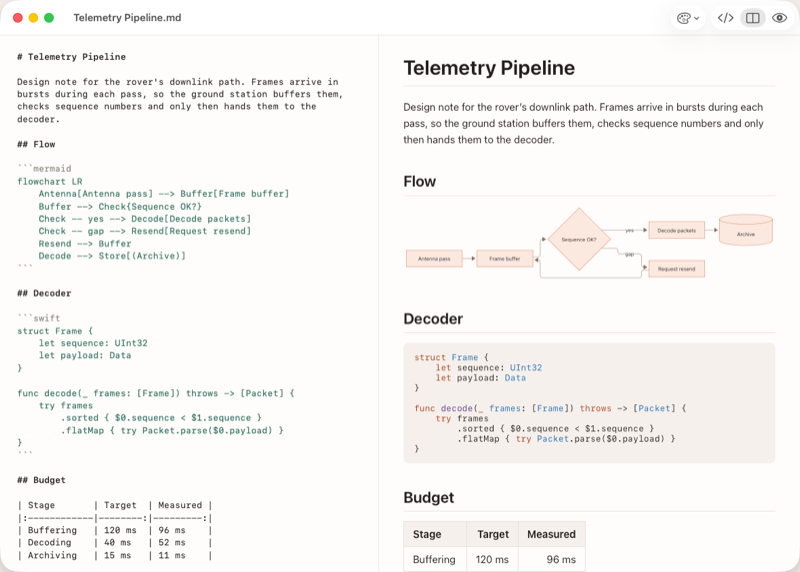 Dawn, the default
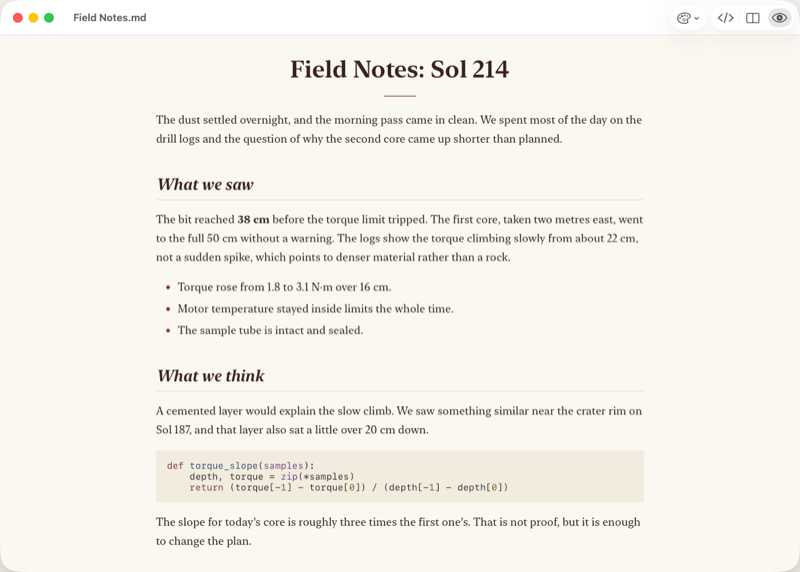 Classic
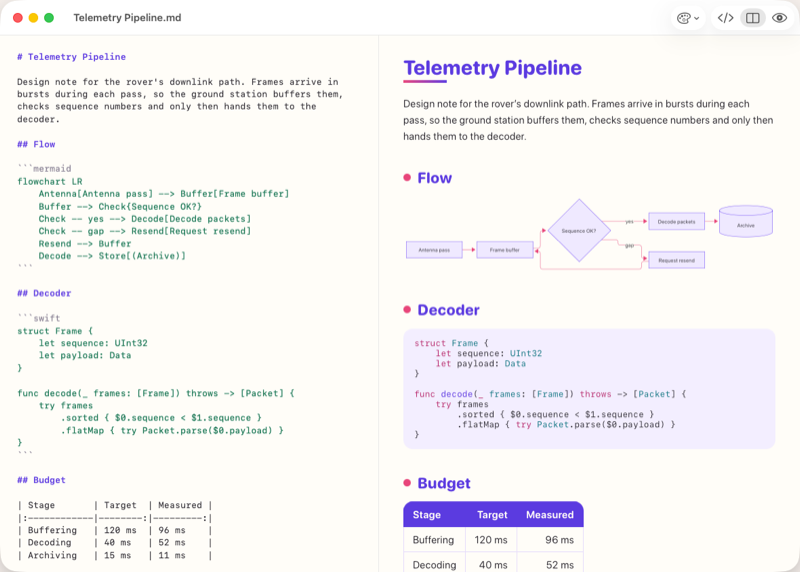 Vivid
Vivid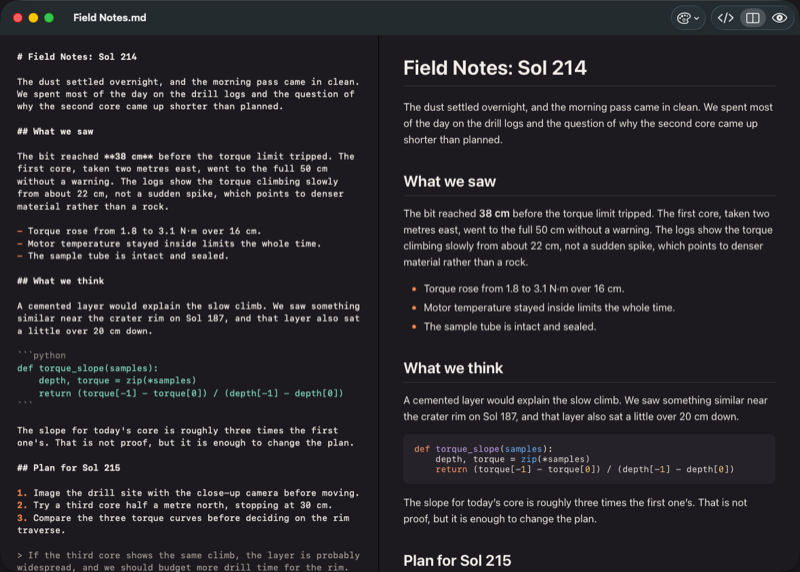 Dark mode
Modern isn't pictured yet; the fourth shot shows dark mode instead.
- Dawn, the default: the same warm paper and Mars Rust accent this site is built from.
- Classic: a plainer, document-like palette.
- Modern: a cooler, more contemporary palette.
- Vivid: a brighter, higher-contrast palette.
Each one has its own light and dark variant, so switching your Mac's appearance switches the theme's palette with it, not just the interface chrome.
The Theme Gallery, inside the app
In MarsDawn, open Settings ▸ Appearance and click Get More Themes…. The Theme Gallery loads its list when it opens. It goes online only while it is open; without a connection it shows a notice, and the four built-in themes keep working.
- Install adds a theme to the Light Theme and Dark Theme pickers and to View ▸ Preview Theme. Remove deletes it.
- Check for Theme Updates asks the gallery again for newer versions.
- Filter by what a theme is for: Agent review, Technical docs, Formal output, Notes & sharing.
- Report Theme… opens a prefilled GitHub issue or an email to us.
What's in the gallery
Eight themes today, all made and reviewed by us: Dracula, Gruvbox, Nord and Solarized, adapted from the well-known palettes and adjusted for readability, plus Guide, Ledger, Spec and Story, made for user guides, budgets, PRDs and sprint notes.
Reviewed, and only data
Every theme is reviewed and merged by us before it appears in the gallery. A theme is a small JSON file of colours and a few bounded options: no scripts, no CSS and no images from its author, and MarsDawn checks every value before installing it. A reported theme leaves the gallery within 24 hours. If it is harmful, it is also removed from Macs that installed it the next time the gallery opens there, and MarsDawn switches back to Dawn if it was in use.
The gallery asks only marsdawn.southern-light.dev/themes/v1/, and only when you open it, check for updates or install a theme. It sends no account, no identifier, no cookies and nothing from your documents.
Quick Look uses your theme
Select a Markdown file in Finder and press Space. Quick Look shows it in the theme you chose, installed themes included, and follows the Appearance setting in MarsDawn: Light and Dark stay as chosen, and System follows your Mac.
PDF export and print
Export to PDF or print, and the page uses the theme you picked for Light: Mermaid diagrams are drawn into it, code blocks keep their highlighting, and page breaks avoid splitting a heading from its section or cutting a table or diagram in half. The free marsdawn command-line tool uses the same exporter, with any of the four built-in themes via --theme.
After the page is printed
A meeting around printed pages, a pen in the margin, a paper record on file.
Build your own
Build a theme in your browser: pick colours and a few style options, see them applied live, and submit it as a GitHub issue for review. You need a GitHub account, but no install and no git. A submission publishes nothing by itself; it appears in the gallery only after we have reviewed and merged it.
Working with an agent? Have it make the theme, then tune it in your browser.
Next
- The full PDF export walk-through, from the command line: Markdown to PDF.
- What MarsDawn doesn't do yet: the list.
- Handing an exported PDF to someone who doesn't use Markdown: sharing a PDF.