 MarsDawn
What MarsDawn doesn't do.
Some things are left out on purpose. If you need one of them, it's better to know now than after you buy.
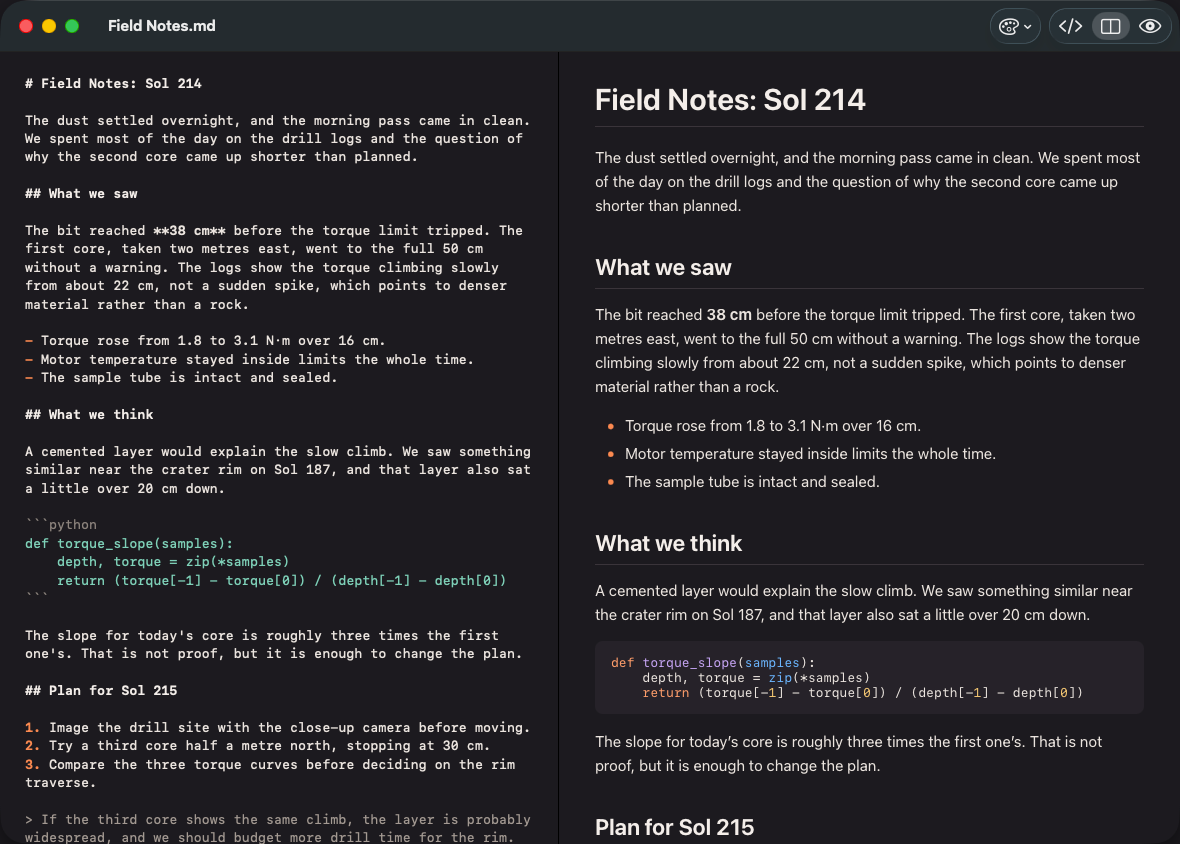
- One document per window, on this Mac.
- You write Markdown here.
- The toolbar holds themes and layouts, and there is no plugins menu.
- The page is for reading, not editing.
Left out
Devices and people
- Sync: MarsDawn doesn't sync your documents. They stay where you save them, so to use one on another Mac, keep it in a folder you already sync.
- iPhone and iPad: MarsDawn there is for reading. It opens Markdown and plain text files and renders them, with an outline and themes, but it doesn't edit, export PDFs or sync. Your files get there through the cloud you already use.
- Sharing: there are no accounts and no shared editing, because MarsDawn is for one person on their own Mac.
- System: MarsDawn needs macOS 26 or later on the Mac, and iOS 26 or iPadOS 26 or later on iPhone and iPad.
Files and features
- Editing: you write Markdown on the left and read the page on the right; the page itself can't be edited.
- Formats: MarsDawn exports PDF and prints, and doesn't export Word files.
- Other files: plain text files and PDFs open read-only.
- Themes: it comes with Dawn, Classic, Modern and Vivid, each in light and dark, and you can install more from the curated Theme Gallery (Settings ▸ Appearance ▸ Get More Themes…). A theme sets colours and a few style options; there's no custom CSS. See themes.
- Plugins: MarsDawn has no plugins or extensions.
After the trial
If you don't unlock MarsDawn once the 14-day trial ends, you can't read, edit, export or print documents in it: they open with their content covered. Your files stay as they are, Quick Look still shows them, and the free command-line tool still exports them. The trial and unlock page sets all three stages side by side.