 MarsDawn
Built out of the Mac's own parts.
MarsDawn is a native Mac app for reading and reviewing Markdown, with live split preview, Mermaid diagrams, KaTeX math, Quick Look and PDF export, free to try for 14 days and USD 4.99 once to unlock.
The windows, tabs, menus and text editor are the Mac's own. The rendered page is drawn by WebKit, the engine behind Safari.
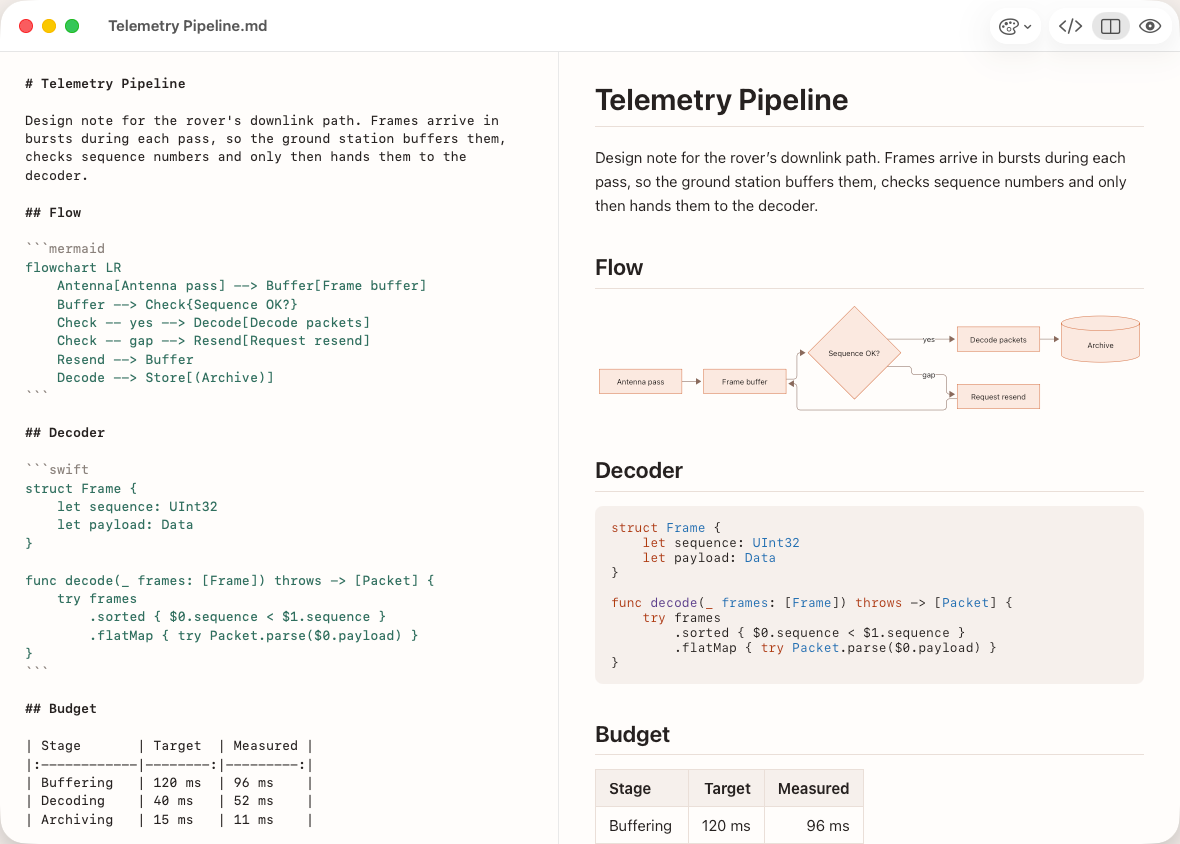
- A native Mac window.
- The Mac's text editor, with Markdown highlighting.
- ⌘1 source, ⌘2 split, ⌘3 preview.
- The page updates as you type.
What that means
Editing
- Source, split and preview layouts, one keystroke apart (⌘1, ⌘2, ⌘3).
- The two panes scroll together, so the paragraph you are editing stays in view.
- Markdown syntax highlighting in the editor, matched to your preview theme.
The rest of the Mac
- Native windows, tabs, autosave and version history.
- Quick Look: press Space on a Markdown file in Finder for a preview, diagrams included. How Quick Look works
- Siri and Shortcuts: start a new document from a template, add a line to your notes inbox, or reopen a recent document.
- English, Traditional Chinese, Simplified Chinese, Japanese, German, French, Spanish and Korean.